如何查看或切換您的個人帳戶類型
帳戶類型指的是您的個人帳戶性質(計程車/小販/家教/專業人士)。這並非指在「個人」與「公司」帳戶之間切換。
為確保帳戶安全,只有在滿足特定條件的情況下,才可變更您的「個人帳戶」類型。當應用程式中顯示此選項時,您即可進行變更。
查看您的字型
- Switch to your Personal Account (Home header name → account list, or Business Directory → Personal).
- On Home, tap Merchant Account. You’ll see your Merchant Account Type at the first section of the page. Depending on your account status, you can see the card locked or granted access to switch the account type.
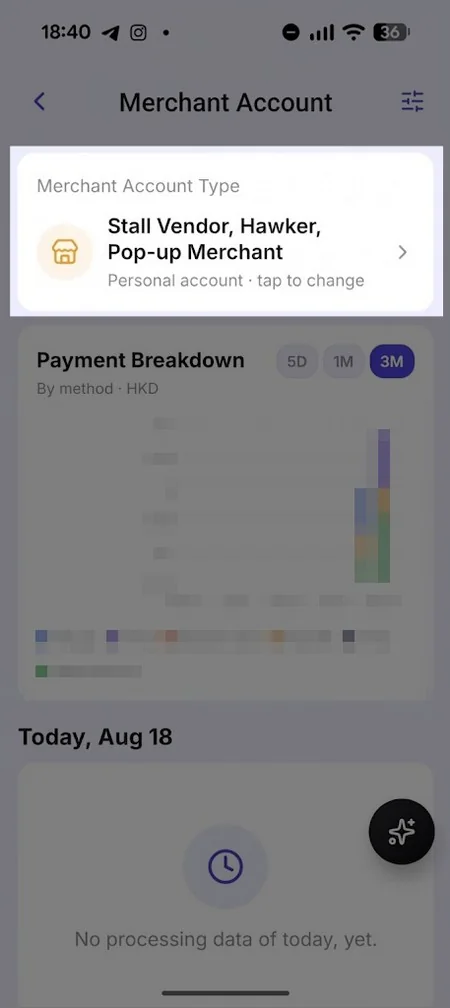
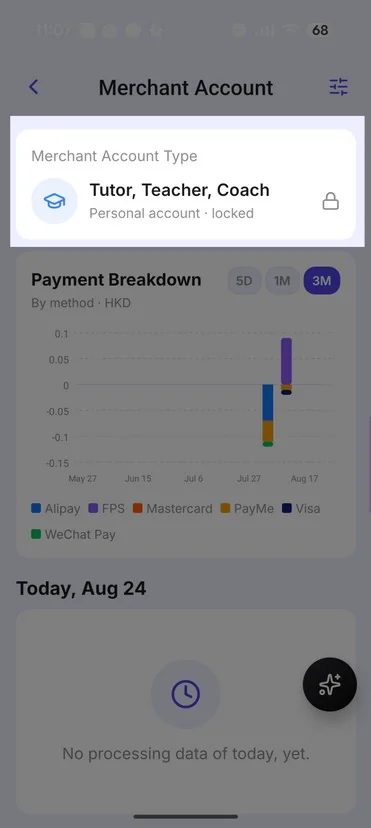
切換至另一種個人類型
- On the Merchant Account Type page, select a different nature (your current one cannot be re-selected).
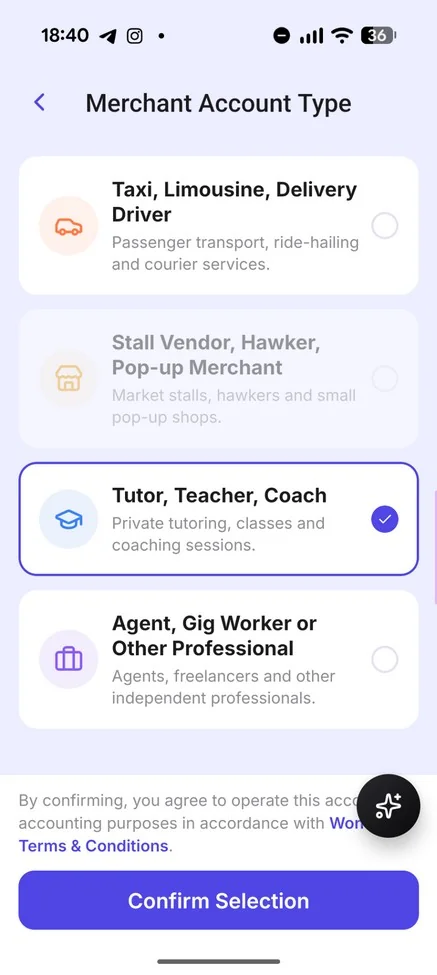
- Tap Confirm Selection to apply the change.
- The payment configuration and merchant account type will be updated on the Wonder App.
註釋
- 已取得執照的計程車司機無法變更帳戶類型。目前僅有其他個人帳戶類型可變更帳戶類型。