如何啟用您的個人帳戶
個人帳戶適用於自僱人士(自由工作者、小販、計程車司機、家教等)。
如果您剛註冊(歡迎頁面)
- After sign-in, you’ll be guided to the welcome page.
- Select Use as a Sole Proprietor.
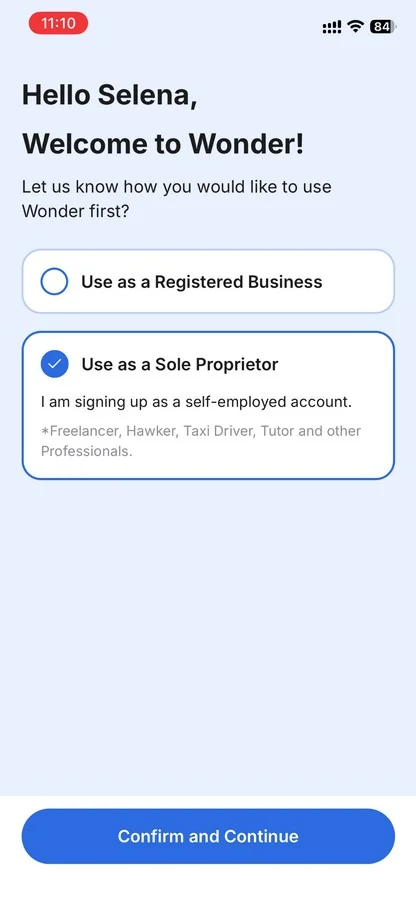
- Tap Confirm and Continue.
- Choose your account nature (driver, hawker, tutor, or professional) and tap Activate Now.
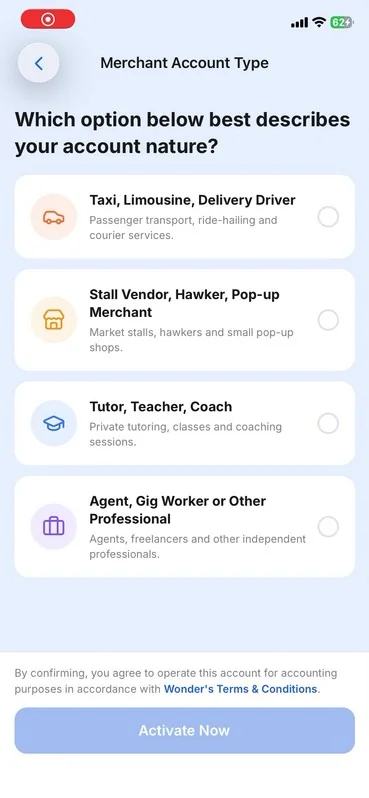
- Follow the on-screen instructions to agree to the terms and sign the merchant services agreement.
- Once completed, click Enter Wonder to enter the Business Overview Page and start exploring our features.

如果您已經在使用 Wonder(商業名錄)
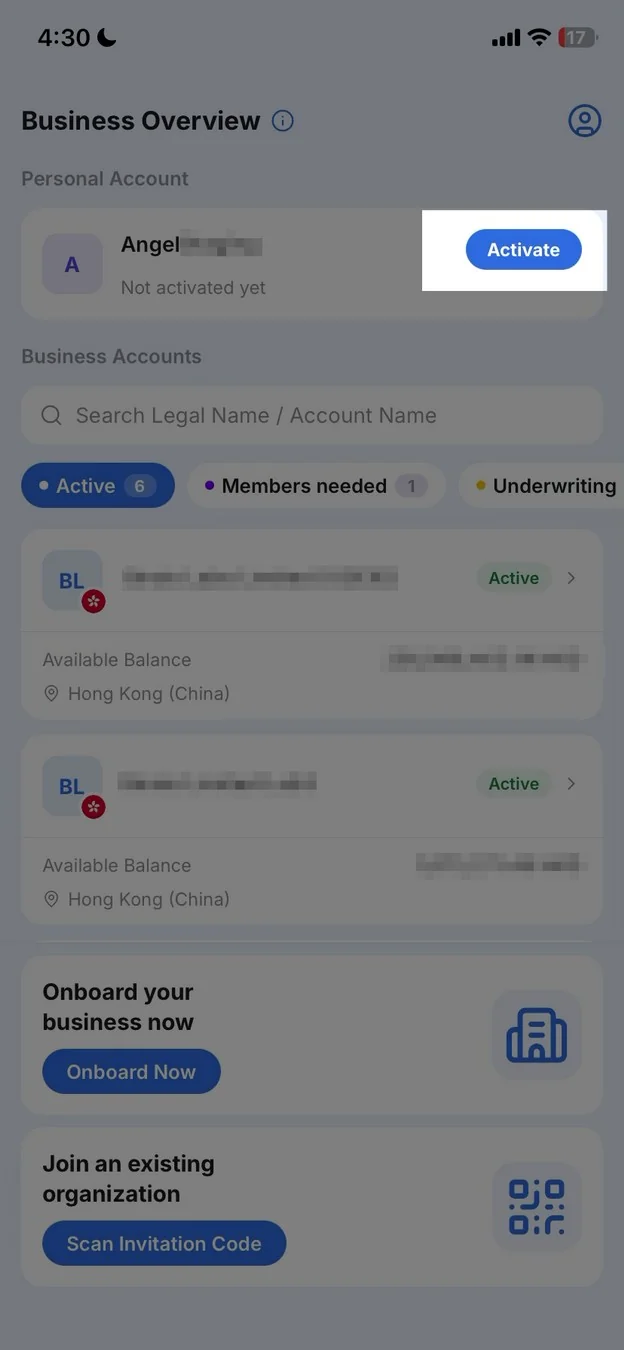
- Open Business Directory (tap the account name on Home, or the menu).
- Under Personal Account, tap Activate.
- Choose your account nature (driver, hawker, tutor, or professional) and tap Activate Now.
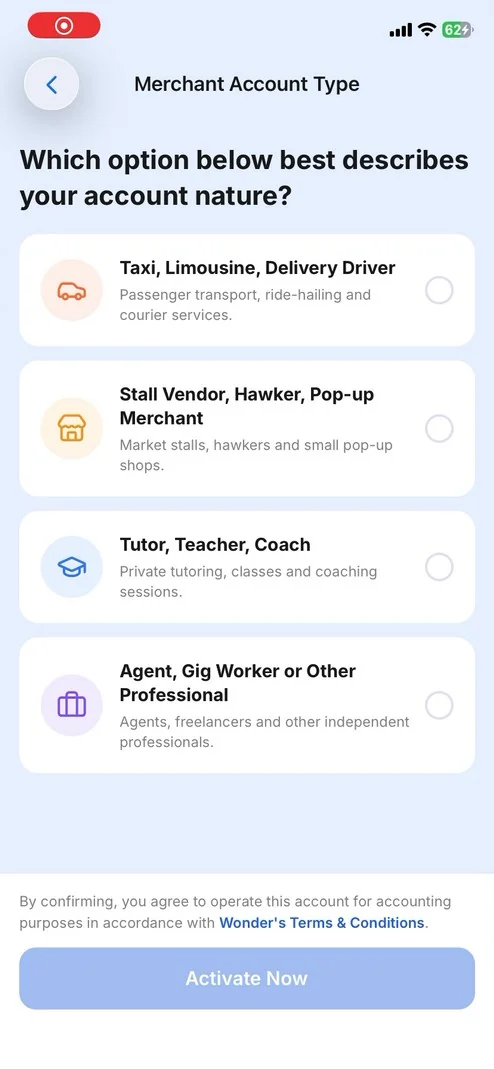
- Follow the on-screen instructions to agree to the terms and sign the merchant services agreement.
- Once completed, click Enter Wonder to enter the Business Overview Page and start exploring our features.