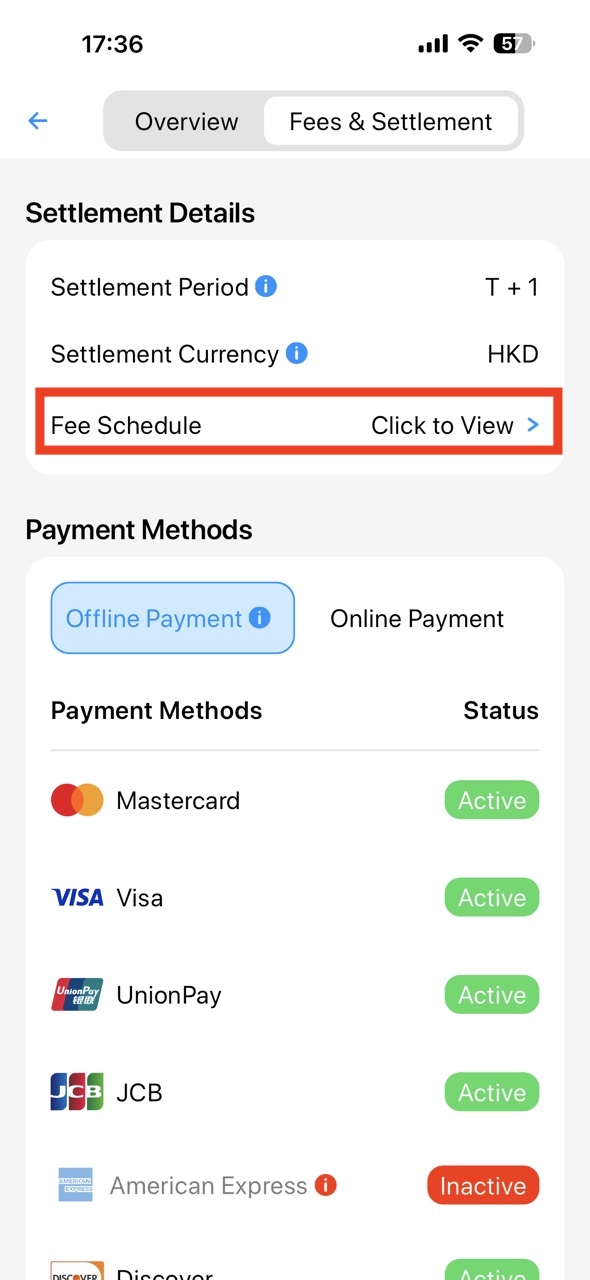
如何在Wonder App中查看帳戶利率與結算條款
如何在Wonder App中查看帳戶利率與結算條款
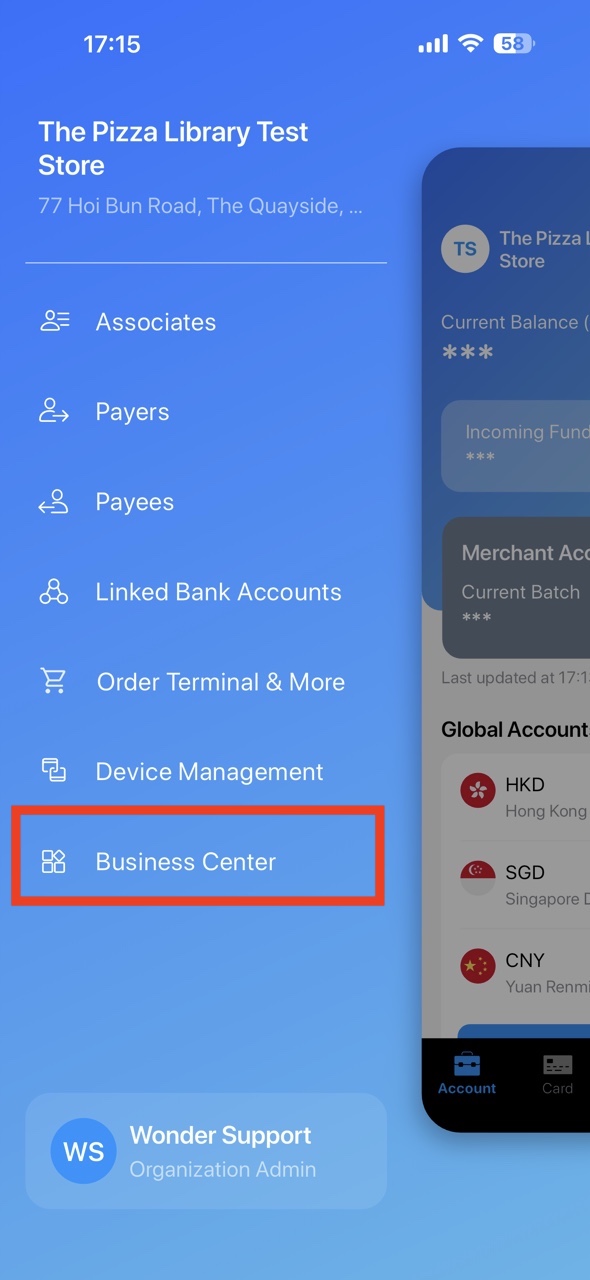
- Click the icon on Account page and open "Business Center" in the sidebar.
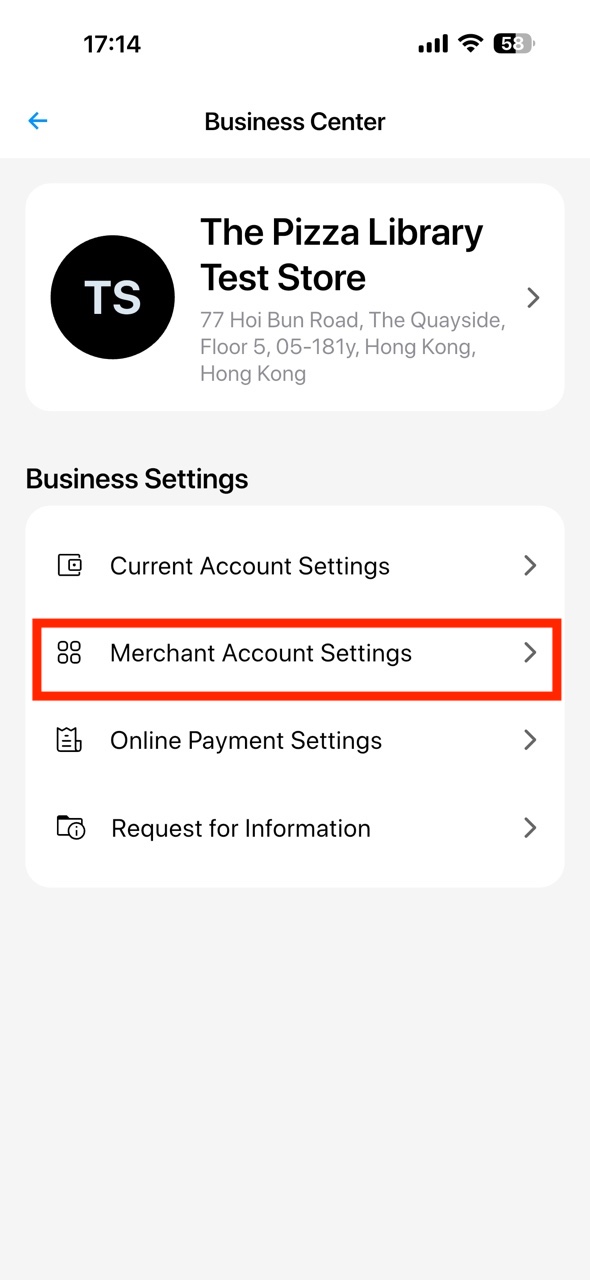
- Click "Merchant Account Settings".
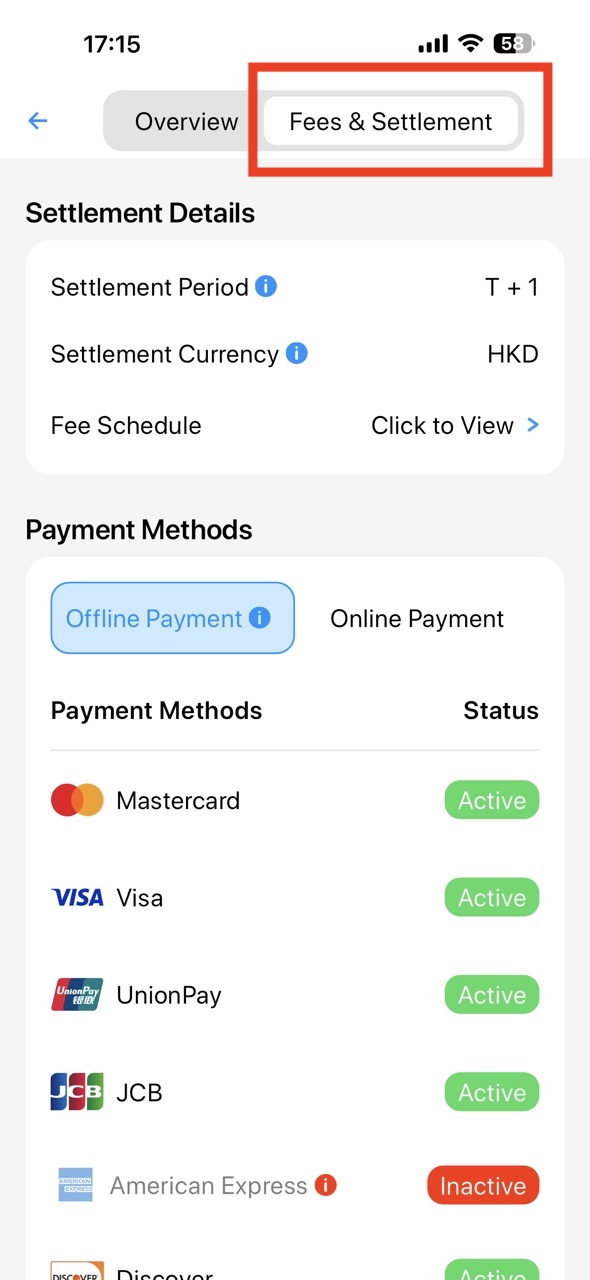
- Select "Fees & Settlement" and view the Settlement Details.
- You can export the Fee Schedule file to view the rate of each payment methods.